
How to Fill Out the CMS-1500 for an Acupuncture Clinic, Box 1 to Box 33
Pure Digits Inc. · Updated · 13 min read
Short answer
The CMS-1500 is the standard outpatient claim form, and the 837P is its electronic version. Acupuncture clinics need to get the Box 21 diagnosis codes, the Box 24 codes, units and NPI, and the Box 25 and 33 billing provider details right.
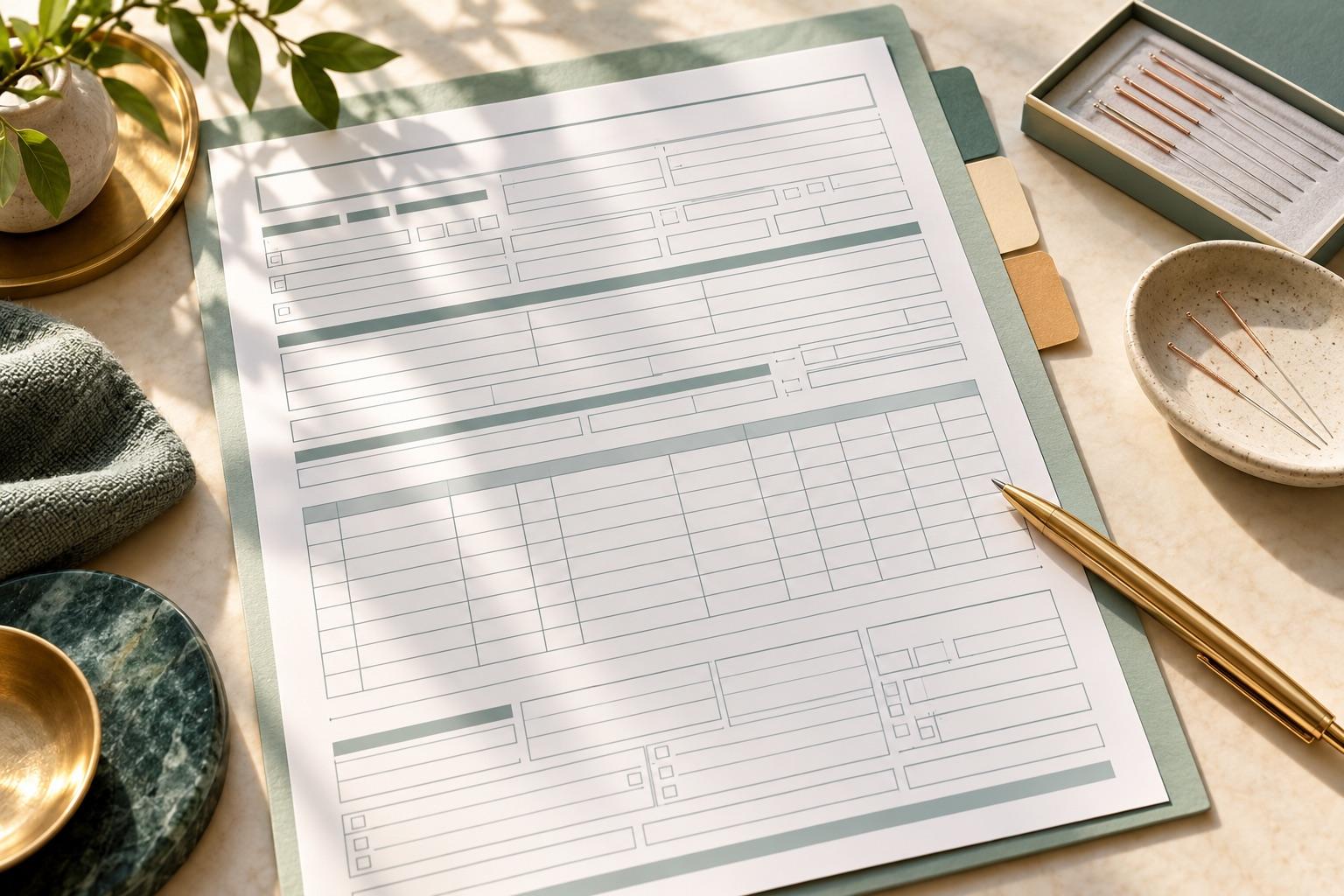
What is the CMS-1500, and how does it relate to the 837P?
At a glance
The CMS-1500 boxes that matter most
A reading map, not the form itself. Fill out the current form according to each insurer's requirements.
- 1Boxes 1–13
Patient and policy information
- 2Box 21
Diagnosis codes
- 3Boxes 24A–24J
One line per service
- 4Boxes 25–33
Tax ID, signature and billing provider
The CMS-1500 is the standard paper form that non-institutional providers in the U.S., including acupuncture clinics, use to bill insurance for outpatient services. The 837P is its electronic equivalent, and both carry the same set of data. The form is designed and maintained by the National Uniform Claim Committee (NUCC). The version in use is the 02/12 form, and NUCC’s latest instruction manual is version 13.0, released in July 2025.
The 837P’s full name is ASC X12N 837 Professional. The current version is 5010A1, the electronic claim standard required under HIPAA. CMS’s MLN booklet explains that the paper form’s data elements line up with the electronic standard, so one system can handle both formats. In practice, the “CMS-1500” a clinic fills out in its software is usually converted into an 837P file and sent to the payer through a clearinghouse.
Medicare generally requires initial claims to be submitted electronically. Paper claims are allowed only under an ASCA (Administrative Simplification Compliance Act) exception, for example a small provider with fewer than 10 full-time equivalent employees billing a MAC directly. Most commercial payers also encourage or require electronic submission. So learning what each CMS-1500 box means is really learning what goes in each data element of an electronic claim.
What should you have ready before filling out the form?
Having the patient, insurance and clinic information ready before you start prevents most CO-16 rejections (missing or incorrect information). Collect it all at the first visit, and verify eligibility before each course of treatment begins.
- Patient: front and back of the insurance card, legal name and date of birth (matching the card), address, relationship to the insured, and whether there is secondary insurance.
- Insurance: member ID, group number, acupuncture benefit and annual visit limit, whether a referral or prior authorization is required, and the claims mailing address or electronic Payer ID.
- Clinic: billing provider name and physical street address, federal tax ID (EIN), organization NPI (Type 2) and individual practitioner NPI (Type 1), and taxonomy code where needed.
- Records: signed SOAP notes, support for the diagnosis, documentation of each timed unit, and the referral or authorization number.
The box-by-box notes below follow the NUCC 1500 Reference Instruction Manual, version 13.0. Medicare has its own additional requirements (see Chapter 26 of the Medicare Claims Processing Manual), and individual commercial payers may have their own rules. The payer’s written guidance takes precedence.
How do you fill out the patient and policy section (Boxes 1–13)?
The top half of the form covers the patient and the insured. The rule is simple: everything must match the insurance card and the payer’s records. If the name, date of birth or member ID doesn’t match, the claim can be rejected before it ever reaches review.
| Box | Title | How to fill it | Tips for acupuncture clinics |
|---|---|---|---|
| 1 | Medicare / Medicaid / TRICARE / CHAMPVA / Group Health Plan / FECA Blk Lung / Other | Check only one: Medicare, Medicaid, TRICARE, Group Health Plan, etc. | Commercial plans and HMOs are usually Group Health Plan or Other, per the payer’s instructions |
| 1a | Insured’s ID Number | Enter the member ID of the plan you are billing, exactly as on the card | For Medicare patients, enter the MBI (Medicare Beneficiary Identifier) |
| 2 | Patient’s Name | Last name, first name, middle initial, separated by commas; no periods, no titles | Spell it exactly as on the card; reversed first and last names are the most common error with Chinese names |
| 3 | Patient’s Birth Date, Sex | 8-digit date MM DD YYYY; check one sex box | One wrong digit in the birth date gets the claim rejected |
| 4 | Insured’s Name | The policyholder; if the patient is the insured, follow the payer’s instructions | Watch this closely when a child or spouse is on a family member’s plan |
| 5 | Patient’s Address | Street, city/state and ZIP on three lines; no punctuation; 5- or 9-digit ZIP | Use the permanent address, not a temporary one |
| 6 | Patient Relationship to Insured | Check only one: Self, Spouse, Child, Other | If the patient has their own member ID, this is usually Self |
| 7 | Insured’s Address | Complete when Box 4 is filled in | If it’s the same as Box 5, follow the payer’s instructions |
| 9, 9a, 9d | Other Insured’s Name, Policy or Group Number, Insurance Plan Name | Complete only when Box 11d is YES | Fill in when there is secondary insurance, to support coordination of benefits (COB) |
| 10a–10c | Is Patient’s Condition Related To: Employment, Auto Accident, Other Accident | Answer truthfully; for auto accidents, enter the state code | Auto accident and workers’ comp cases usually go to the auto or workers’ comp carrier first |
| 11 | Insured’s Policy Group or FECA Number | Enter as shown on the card, no hyphens or spaces | Required on Medicare claims: enter NONE if no insurance is primary to Medicare |
| 11a | Insured’s Date of Birth, Sex | 8-digit date; check one sex box | Double-check this when the insured is not the patient |
| 11b | Other Claim ID | Mainly for property and casualty claims (auto, workers’ comp), preceded by qualifier Y4 | Usually left blank for regular health insurance |
| 11c | Insurance Plan Name or Program Name | The name of the insured’s plan or program | Some payers want the Payer ID here instead of the name |
| 11d | Is There Another Health Benefit Plan? | Check YES or NO; if YES, complete Boxes 9, 9a and 9d | Missing secondary coverage is a common coordination of benefits problem |
| 12, 13 | Patient’s or Authorized Person’s Signature / Insured’s or Authorized Person’s Signature | Enter Signature on File or SOF, or an actual signature | Have the patient sign an authorization at the first visit and keep it on file |
How do you fill out Box 17 (referring provider), Box 21 (diagnosis codes), and Boxes 22 and 23?
These boxes tell the payer who referred the patient, why they were treated, whether this is a resubmission, and whether there is an authorization. They are some of the most commonly missed boxes on acupuncture claims.
Boxes 17 and 17b: referring, ordering or supervising provider
Box 17 takes the name and credentials of the referring, ordering or supervising provider, with a qualifier to the left of the dotted line: DN for referring provider, DK for ordering provider, DQ for supervising provider. If more than one applies, enter only one, in this order of priority: referring, ordering, supervising. Box 17b takes that provider’s 10-digit NPI. Some HMO plans, Medicaid plans and workers’ comp cases may require a physician referral for acupuncture, which makes Boxes 17 and 17b required. Plans that don’t require a referral can leave them blank. Whether a referral is needed depends on the plan’s rules.
Box 21: ICD-10 diagnosis codes
First enter the ICD indicator between the dotted lines in the upper right: 0 for ICD-10-CM. Then enter diagnosis codes on lines A through L, up to 12, left-justified, with no decimal point (M54.50 becomes M5450) and no narrative description. Use the most specific code available, and put the primary diagnosis most relevant to that day’s treatment on line A.
Box 22: resubmission code and original reference number
Fill this in only when correcting or voiding a claim that was already submitted. Never fill it on a first submission. On the left, enter the claim frequency code: 7 to replace the original claim, 8 to void it. On the right, enter the payer’s reference number for the original claim. If the denial was caused by an error in the information, you should usually correct it and resubmit as a replacement claim per the payer’s instructions, not as a brand-new claim, so it isn’t denied as a duplicate (CARC 18).
Box 23: prior authorization number
Enter the prior authorization or referral number the payer issued for these services, with no hyphens or spaces. When the payer requires prior authorization and Box 23 is blank, the usual result is a CO-197 denial (precertification or authorization absent). Authorizations typically have a visit limit and an expiration date, so track the remaining visits as you schedule.
How do you fill out the Box 24 service lines (24A–24J)?
Box 24 is the heart of the form. Each line is one service, with up to 6 lines per form. Each line has an upper and lower part. The shaded upper area is only for supplemental information and cannot be used as an extra service line.
| Box | Title | How to fill it | Tips for acupuncture clinics |
|---|---|---|---|
| 24A | Date(s) of Service | Enter From and To dates; for a single day, enter it under From and leave To blank or repeat the same date | List each acupuncture visit on its own date; don’t combine visits |
| 24B | Place of Service | Enter the 2-digit POS code | A clinic office is usually 11 (Office). Telehealth POS 02 or 10 applies only to services that can be delivered by telehealth (such as some E/M visits), not to acupuncture codes |
| 24C | EMG | Enter Y only if the payer requires it | Usually left blank for acupuncture |
| 24D | Procedures, Services, or Supplies (CPT/HCPCS, Modifier) | Enter the code valid on the date of service and up to four 2-character modifiers; no narrative | For example 97813, 97814; add 25 to E/M; add KX on Medicare visits 13–20 |
| 24E | Diagnosis Pointer | Enter the Box 21 letter(s) A–L, primary first, up to 4 letters, no commas | Don’t enter the diagnosis code itself here |
| 24F | $ Charges | Charge for each line; no dollar sign or commas; enter 00 in the cents area for whole-dollar amounts | Use the clinic’s standard fee, not the expected payer allowance |
| 24G | Days or Units | Enter the number of units; for a single service, enter 1 | Enter 2 when 97811 or 97814 has two time units; this must match the time in the notes |
| 24H | EPSDT / Family Plan | Per payer requirements | Usually left blank for acupuncture |
| 24I | ID Qual. | When the shaded area of 24J holds a non-NPI ID, enter its qualifier here, such as ZZ for taxonomy | Complete only when the payer requires it |
| 24J | Rendering Provider ID # | Enter the rendering provider’s 10-digit NPI in the unshaded area; NUCC allows leaving it blank when it’s the same as 33a | Group practices usually enter the practitioner’s individual NPI; for Medicare incident-to services, enter the supervising provider’s NPI as required |
A typical example: a new patient’s first visit includes a significant, separately identifiable evaluation, followed by electroacupuncture with 30 minutes of face-to-face time. You could bill three lines: line 1, 99203 with modifier 25; line 2, 97813, 1 unit; line 3, 97814, 1 unit. On all three lines, the diagnosis pointer lists the letter for the low back pain diagnosis first. Bill an E/M with modifier 25 only when there is a significant, separately identifiable evaluation beyond the usual pre-treatment assessment; whether to bill it, and at what level, must be supported by the medical record. Whether a licensed acupuncturist can bill E/M codes at all depends on the state’s scope of practice and the payer.
Boxes 25 to 33: tax ID, signature, service facility and billing provider
The bottom of the form tells the payer who is being paid and where the service took place. The Box 25 tax ID, Box 33 billing provider and Box 33a NPI must all match each other. If they don’t, the claim may not get into the payer’s system, or the money may go to the wrong account.
| Box | Title | How to fill it | Tips for acupuncture clinics |
|---|---|---|---|
| 25 | Federal Tax I.D. Number | Enter the EIN or SSN of the Box 33 billing provider and check the matching box; no hyphens | Clinics operating as a business enter the EIN; it must match the tax ID used for payer contracting |
| 26 | Patient’s Account No. | The clinic’s internal patient number, no hyphens | Required on electronic claims; makes it easier to reconcile ERA payments |
| 27 | Accept Assignment? | Check YES or NO | In-network clinics usually check YES |
| 28 | Total Charge | The sum of the 24F charges on all lines | No dollar sign or commas |
| 29 | Amount Paid | Amount the patient or another payer has paid toward covered services | Whether to include copays depends on the payer |
| 31 | Signature of Physician or Supplier | Actual signature, Signature on File or SOF, plus the date | There is no such data element on electronic claims; keep the signature authorization on file at the clinic |
| 32 | Service Facility Location Information | Name and address of where the service was provided, with a 9-digit ZIP | Since 2011, Medicare requires a service facility location for all services; fill it in even if it matches the billing address |
| 32a | NPI (Service Facility) | Enter only when the service facility NPI differs from the billing provider NPI | Don’t repeat the billing provider’s NPI here |
| 33 | Billing Provider Info & PH # | Billing provider name, address and phone; the address must be a physical street address | No P.O. boxes; this is the entity the payer sends checks to and reconciles with |
| 33a | NPI (Billing Provider) | Enter the billing provider’s 10-digit NPI | Group practices enter the organization NPI (Type 2); solo practitioners enter their individual NPI |
| 33b | Other ID (Billing Provider) | Qualifier plus ID, such as ZZ plus taxonomy | Some payers require the taxonomy code here |
The most common setup for an acupuncture clinic: Boxes 33 and 33a carry the clinic as an organization (Type 2 NPI), Box 25 carries the clinic’s EIN, and Box 24J carries the individual NPI (Type 1) of the practitioner who treated the patient that day. If the practitioner contracted with the payer as an individual and is paid as an individual, switch the whole set to the individual’s NPI and tax ID. Whatever set was registered during credentialing is the set the claim must use.
How do the paper CMS-1500, the electronic 837P and the clearinghouse fit together?
Nearly all claims today are submitted electronically. The clinic enters the claim information in its system, which generates an 837P file. A clearinghouse checks the file’s format and rules, then forwards it to the right payer. After processing, the payer sends back payment and denial information in an 835 file (ERA, electronic remittance advice).
- Create the claim: complete all the CMS-1500 data in your EHR or billing system, then export or generate the 837P.
- Pre-submission edits: the clearinghouse checks required fields, format and common logic errors and sends problems back right away, so you can fix and resubmit without waiting for a payer denial.
- Send to the payer: the claim goes out by each payer’s Payer ID and enters review once received.
- Post payments: after paying, the payer sends an 835 ERA; the clinic checks each line’s paid amount, patient responsibility and denial reason codes.
- Work denials: fix the claim based on the denial reason and resubmit it as a replacement with frequency code 7 in Box 22, or appeal through the payer’s process.
Take Claim.MD as an example. It lets you key claims directly on its website and also accepts 837P and other batch files uploaded from clinic software. It runs real-time edits on CMS-1500 claims and returns the ones that need fixing, and it also offers real-time eligibility checks and 835 remittance downloads. On the Medicare side, every MAC publishes an 837P companion guide, and some MAC websites provide a crosswalk between the paper form and the 837P that helps show how the two map to each other.
Remember the filing deadlines. Medicare requires claims to be filed within 1 calendar year of the date of service, and late claims that are denied cannot be appealed. Commercial filing limits are set by each contract and payer and vary widely, so go by your contract.
What are the most common CMS-1500 mistakes acupuncture clinics make?
Most rejections have nothing to do with the care itself. They come from details on the form. These are the problems that show up most often on acupuncture claims, and you can use them as a pre-submission checklist.
- Name, date of birth or member ID doesn’t match the payer’s records, especially Chinese names with the first and last name reversed.
- Box 21 is missing the ICD indicator 0, or the diagnosis codes include a decimal point or use a deleted code (such as M54.5).
- The Box 24E diagnosis pointer points to a diagnosis unrelated to acupuncture, or contains the diagnosis code itself.
- Box 24G units don’t match the face-to-face time documented in the notes, or an add-on code is billed without its initial code.
- A separate E/M is billed without modifier 25, or KX is missing on Medicare visits after the 12th.
- Boxes 24J and 33a are mixed up: the individual NPI is entered as the billing provider, or the organization NPI is entered as the rendering provider.
- Box 32a repeats the billing provider NPI, or Box 33 uses a P.O. box.
- The Box 25 tax ID doesn’t match what was registered during credentialing, so the claim is rejected or payment doesn’t reach the right account.
- Box 22 is filled in on a first submission, or a corrected claim is missing the original claim number and gets denied as a duplicate.
Is there an easier way than filling it out box by box?
The easiest way is to let the system fill out the form from the medical record and have a person review it. The record already holds the patient details, diagnoses and documentation of each timed unit, so most boxes can be pulled straight from it. Copying them by hand, box by box, is where errors creep in.
Qihuang AI’s self-serve software starts at $69/month (includes 1 practitioner, +$39/month for each additional one). From the SOAP note, AI suggests ICD-10 and CPT codes and fills out the CMS-1500 automatically. It submits directly through Claim.MD, checks eligibility, and can send the signed note as a PDF attachment with the claim. Once the practitioner confirms, the claim is ready to submit. If you’d rather hand off submission, follow-up and denial resubmission too, choose full-service billing: 7% of what insurance actually pays (not billed charges; patient copays and self-pay are excluded), with a $299/month minimum. The fee includes the full clinic system (unlimited practitioners, with AI usage included for each one). You can book a consultation on our contact page with our bilingual Chinese/English team.
Frequently asked questions
- Can I still mail a paper CMS-1500?
- Yes, but it’s becoming rare. Medicare generally requires electronic claims and allows paper only under an ASCA exception (for example, fewer than 10 full-time equivalent employees). Whether a commercial payer accepts paper, and where to mail it, depends on the payer. Electronic claims are usually faster and catch errors earlier.
- What’s the difference between the NPI in Box 24J and Box 33a?
- Box 24J is the NPI of the provider who actually rendered the service, usually the treating practitioner’s individual NPI. Box 33a is the NPI of the billing provider receiving payment, usually the organization NPI for a group practice. Per NUCC instructions, 24J can be left blank when the two are the same.
- Do diagnosis codes in Box 21 include the decimal point?
- No. NUCC instructions say the decimal point is implied, so M54.50 is entered as M5450. You also need to enter ICD indicator 0 in the upper right of the box.
- How do I fill out Box 22 when resubmitting a denied claim?
- Enter frequency code 7 to replace the original claim or 8 to void it, and enter the payer’s reference number for the original claim on the right. Box 22 must not be filled in on a first submission.
- Do acupuncture claims always need a referring provider in Box 17?
- No. It’s only needed when the plan requires a referral, which some HMO plans, Medicaid plans and workers’ comp cases may. When it’s needed, enter the physician’s name with qualifier DN, and that physician’s NPI in Box 17b.
Sources
- NUCC 1500 Health Insurance Claim Form Reference Instruction Manual (version 13.0, July 2025)
- NUCC 1500 Instructions page
- CMS MLN006976: Medicare Billing: CMS-1500 & 837P (December 2025)
- CMS Medicare Claims Processing Manual, Chapter 26 (Completing and Processing Form CMS-1500 Data Set)
- CMS Place of Service Code Set
- Claim.MD (claim submission, eligibility checks and ERA downloads)
General information only, not legal, coding or billing advice. Payer policies and contracts vary and change; verify with the payer, your MAC, or a qualified advisor.
Related reading
- Acupuncture Insurance Billing, Step by Step: From Credentialing to ERA
- Acupuncture CPT Codes 97810, 97811, 97813 and 97814: Timing, Combinations and Avoiding Denials
- Insurance Credentialing for Acupuncturists: NPI, CAQH, Network Applications and Timeline
- Medicare Acupuncture Coverage Explained: NCD 30.3.3 for Chronic Low Back Pain, and What It Means for Your Clinic
- Pricing